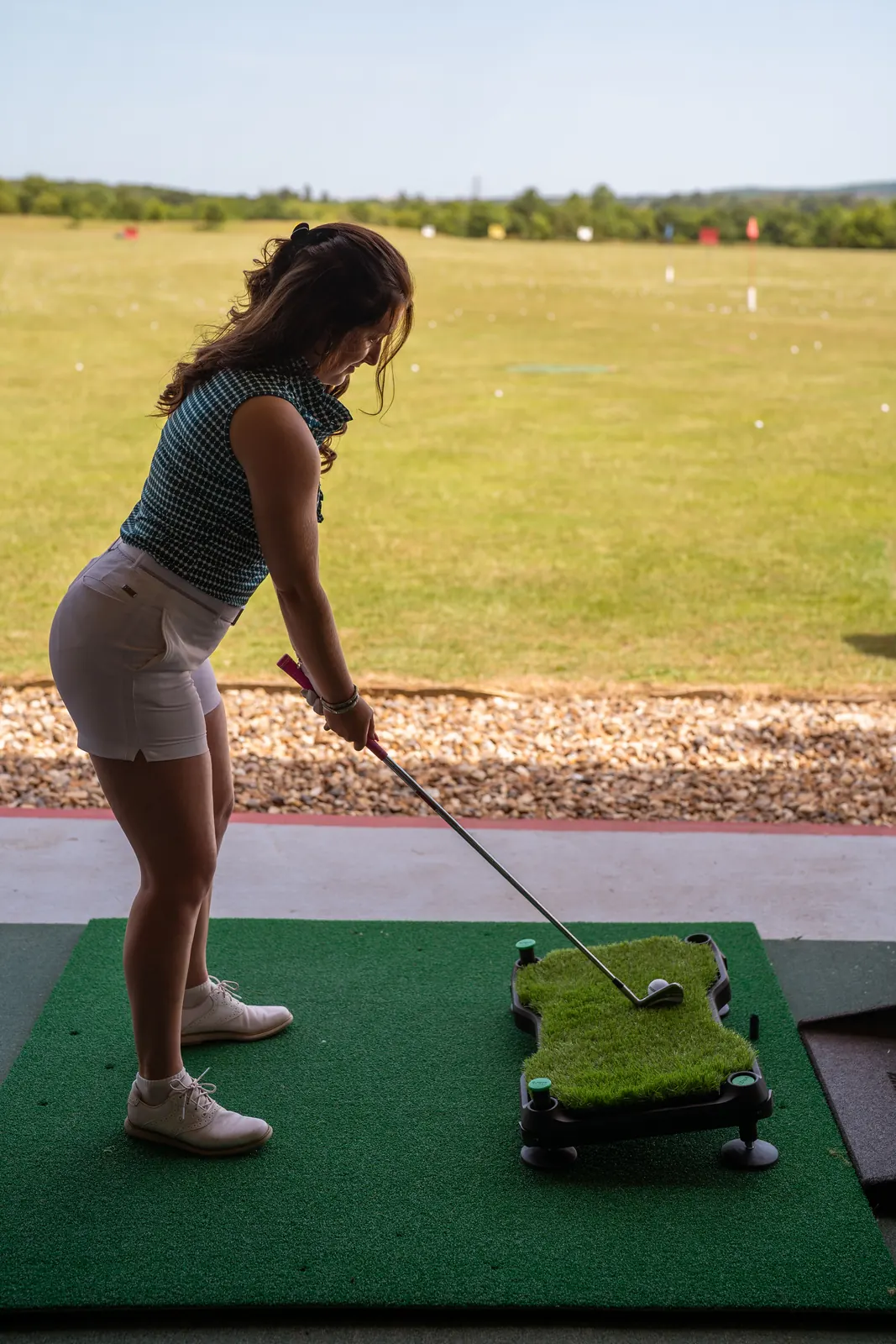
You can practise sloping lies on a simulator, but the software on its own won't do it. A launch monitor like TrackMan or GCQuad measures the shot you hit, and if you're standing on a flat mat, you're hitting a flat-lie shot, whatever the screen shows. To practise a real slope you need to tilt the ground you stand on. That can be a sloped mat, a homemade board, a tilting platform or a motorised stage. The launch monitor then does what it's good at, which is showing you how the slope changed your shot.
What the screen shows vs what you feel
Simulator courses are full of hills. Your ball might come to rest on a steep bank on screen. Your feet, though, are still on level ground, so your balance, your swing plane and the way the club meets the ball are all the same as on the range.
Some software may adjust the result to account for the lie it's showing. That's a simulation of the outcome. It doesn't change the swing you have to make, and that's the part golfers struggle with on the course. You can't learn how your weight wants to fall back on an uphill lie, or how the ball below your feet makes you stand up through impact, unless your body is actually on the slope.
We've covered the bigger picture in golf simulators only give you flat lies.

The ways to add a real slope
Sloped mats and wedges
These are fixed-angle hitting surfaces or wedge-shaped boards. They're the cheapest way in. The limits are that each one gives you one angle, and you usually have to turn it or swap it to change the lie. They can also raise the hitting surface, which matters for the next section.
A DIY board
Some golfers build a ramp from plywood and battens. It works for a single slope, but you need it stable, grippy and strong enough to take a full swing without flexing or sliding. We go through the honest version, including what can go wrong, in DIY ways to practise sloping lies.
A tilting platform
A platform you can set to different angles, uphill, downhill or sidehill, and lock. The benefit is variety from one piece of kit, which matters because the course doesn't give you one fixed slope.
A motorised stage
Some high-end studios install a floor that tilts under you at the press of a button. These are impressive and sit at the very top of the price range. They cost a small fortune, and for most home golfers they're out of reach.
For a side-by-side of the cheaper options, see sloped golf mats vs tilting platforms.
Will the launch monitor still read properly?
This is worth checking before you buy anything. Launch monitors are set up expecting the ball and the unit to be in a certain position relative to each other. If you raise or tilt the hitting surface, the ball might sit higher than the unit expects, or outside the area it reads best.
Things to check:
- Your launch monitor maker's guidance on placement and hitting-surface height.
- Whether the unit needs to be levelled, and against what.
- Whether a camera unit can still see the ball and club clearly on a tilted surface.
- That the ball stays in the reading zone when you change the slope direction.
Hit a few balls on flat ground at the new height first. If the numbers look the same as normal, then start tilting.

What to look for in the numbers
Once you're on a slope, the launch monitor becomes a teacher. For a right-hander, expect roughly this:
| Lie | What usually changes |
|---|---|
| Uphill (lead foot higher) | Higher launch, shorter carry, tends left |
| Downhill (lead foot lower) | Lower launch, runs more, tends right |
| Ball above feet | Start line and curve tend left |
| Ball below feet | Start line and curve tend right |
Watch start direction, face to path, launch angle and carry on each lie and compare them with your flat-ground numbers. You'll see your own pattern, which is worth more than any general rule. There's a full guide to that in using a launch monitor to learn uneven lies.
Quick answers
Does TrackMan simulate uneven lies? The software can show uneven ground, but you're still standing flat. For real slope practice you need a surface that tilts.
Can I use a sloped mat with a launch monitor? Usually, if the ball stays where the unit can read it. Check the maker's guidance.
What's the cheapest way to practise slopes indoors? A fixed sloped mat or a simple DIY board, with limits on variety.
Libro is a tilting platform built for this. It sets any lie in seconds with a cam lock, up to 7 degrees along its length and 13 degrees across, and the engraved height lines let you return to the exact same slope next session. It works with any launch monitor or simulator and needs no power or subscription. Reserve one for £10, fully refundable, ahead of Kickstarter in early 2027.